ABOUT TABS
This website (enareths.com) and my online guitar courses platform (courses.enareths.com) are two separate and independent systems.
Because of this, you need to create a separate account on each site to access your purchases, view your order history, and use the courses.
A personal account lets you access and download all your purchases at any time, so you don’t have to worry about losing them.
If you don’t have an account yet, you can create one here, or simply check the “Create an account” box during checkout when making your purchase.
You can re-download all your purchases at any time by logging into your account and accessing your order history.
After the payment is completed, a page with a download button opens automatically.
You’ll also receive two emails right after the purchase — one with the invoice and another with the download link.
If you don’t see the emails, please check your spam or junk folder as well.
The .zip archive can be opened with WinZip (for Windows) and The Unarchiver (for Mac OS).
The Guitar Pro files (.gp5, .gpx and .gp) can be opened with Guitar Pro accordingly.
I recommend using the 7th or at least the 6th version of Guitar Pro.
The PDF file can be opened with any PDF viewer.
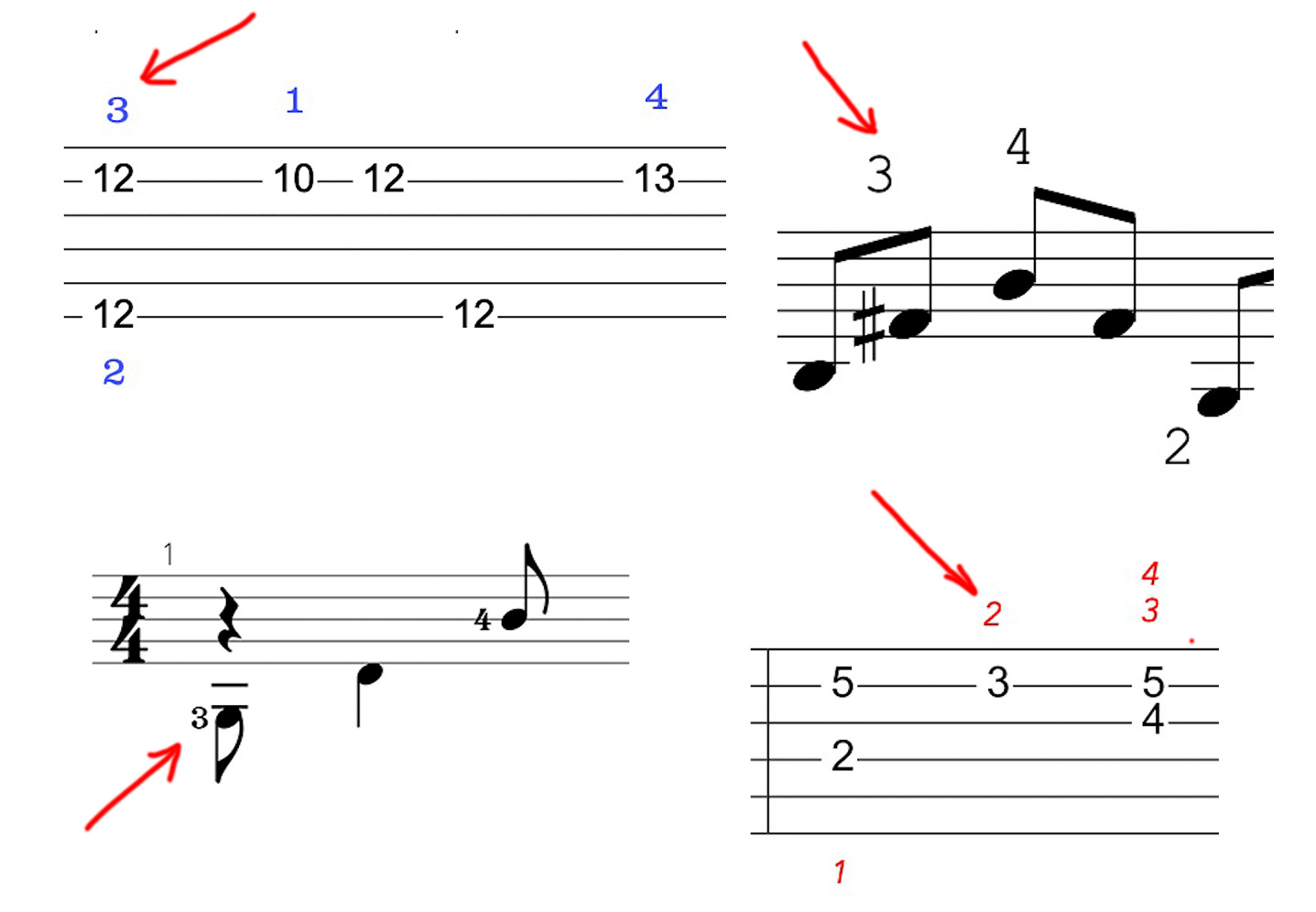
Those numbers indicate the left hand fingers:
1 – index
2 – middle
3 – ring
4 – pinky
t – thumb
For example, on the top left picture – press the 12th fret
on the 2nd string with your ring finger and the 6th string with the middle finger,
then the 10th fret on the 2nd string with the index finger etc.

There are 2 most common percussion techniques – the kick and the snare. On the
pictures, the red arrows point to the kick designations and the blue ones point to the snare designations.
I used to denote kicks as horizontal brackets (the left picture) in my older arrangements,
but now I write separate drum tracks in Guitar Pro for percussion (the right picture)
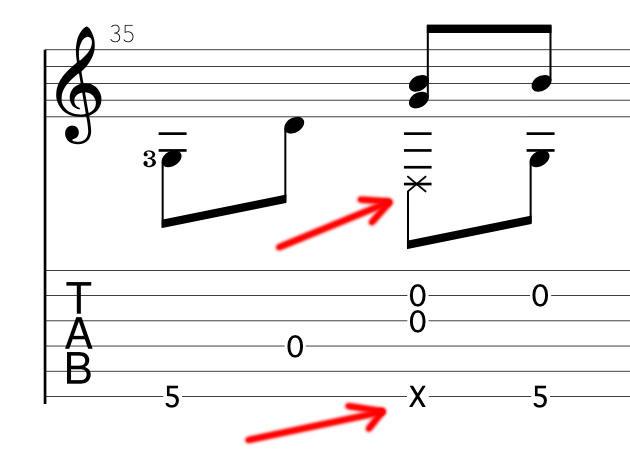
The “X” denotes a thumb slap (a snare drum note). To perform a thumb slap you need to hit the 6th string with your right hand thumb.
In the example above there are also another strings played simultaneously with the 6th string thumb slap.
You can whether hit those strings with the outer side of your middle finger nail or you can pick them as you would
normally do, but with a thumb slap at the same time.

In Guitar Pro you can highlight certain voice lines. In my arrangements there are 2 of them – for lead
and for rhythm notes. To make them both visible press command+M or click this button (Guitar Pro 7):

No, there’s no difference – all the notes are the same. Only the guitar tone is different.
I prefer to tune the 12-string guitar one step down, so the tuning in my videos
can be lower than standard. But the tabs are usually in standard.
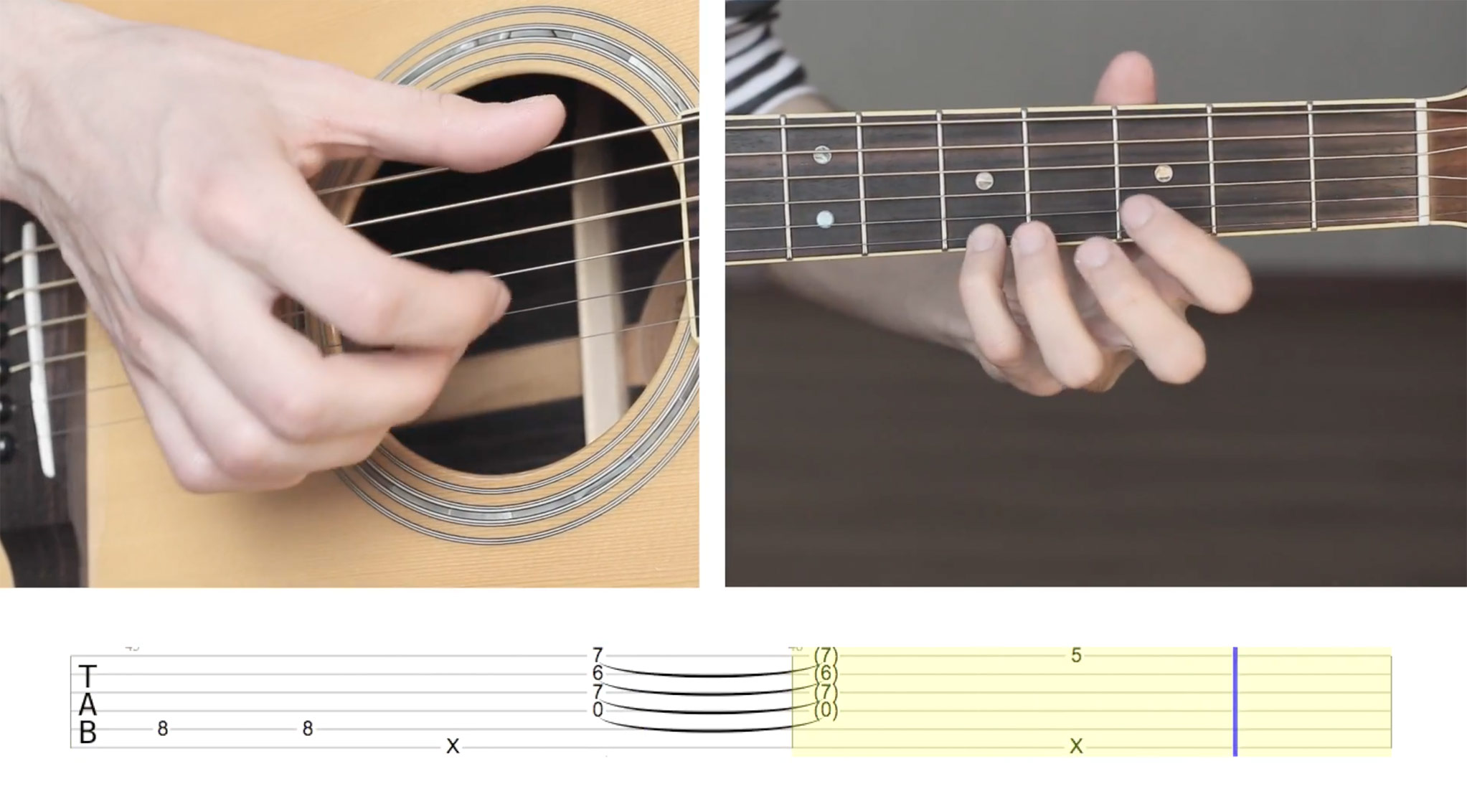
The Video-Tabs is a format of tutorials where the guitar tabs and the hands are shown on the screen together so you can clearly see how each note is played.
The song is divided into several parts and played in slow tempo and in normal tempo.
It’s much easier to learn songs with the Video-Tabs other than just by reading tabs alone.
Some screenshots: